Start with instances
N-gon instances are the fastest path for materials, bevels, and collection organization. Switch to GLB when you need a single merged mesh for export.
 Aperiodic Generator
Blender add-on
Generate aperiodic monotile patches in Blender for non-repeating geometry, excellent for avoiding common tiling and aliasing artifacts and ensuring proven non-repetition without losing regularity. Aperiodic monotiles are one shape that tiles without ever forming a pattern.
Demo
Patch generation, editable N-gon instances, edge styles, collections, and materials in one walkthrough.
In Blender
Paste your API key, pick a boundary and tile scale, choose instance or GLB output, set side style and depth, then generate. The panel also lives under Scene properties if the N-sidebar tab is hard to find.
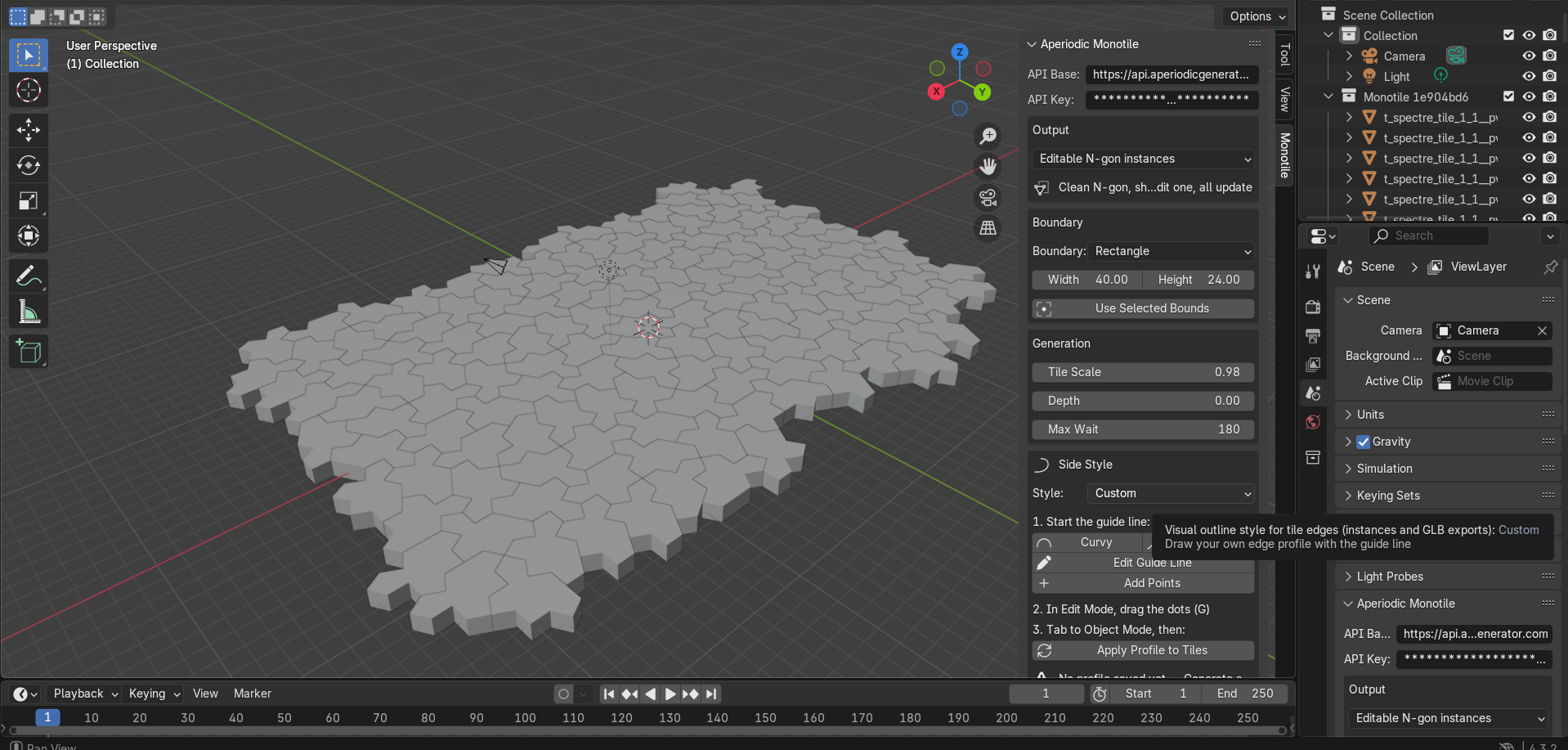
Install
In Blender 4.2+, open Edit > Preferences > Add-ons > Install..., choose the downloaded zip, enable Untiling, then open the Monotile tab in the 3D View sidebar (or Scene properties).
1. Download the Blender add-on ZIP
2. Install and enable it in Blender Preferences
3. Paste your API key in the Monotile panel
4. Choose boundary, scale, side style, and depth
5. Generate editable N-gon instances or GLB
Workflow tips
N-gon instances are the fastest path for materials, bevels, and collection organization. Switch to GLB when you need a single merged mesh for export.
Set Side Style to Custom, edit the guide line, then apply the profile to every tile. Curvy and wavy presets are there when you want a quick stylized look.
After import, use Organize into Label Collections, then assign materials per collection or run randomize materials for quick look-dev passes.
Access
Free JPG or PNG for previews. Paid SVG or 3D for production exporters. The Blender kit is a free download from this site, paste your key and generate in the viewport.